


In today’s digital landscape, remote work has become increasingly common – even in the photography industry. Managing a remote photography team requires clear communication, strong leadership, and structured workflows to maintain consistency and quality. Whether you’re overseeing real estate photographers, editors, or creative professionals, this guide covers essential tools, processes, and actionable steps to help your team thrive in a virtual environment.
Establish Clear Communication Channels
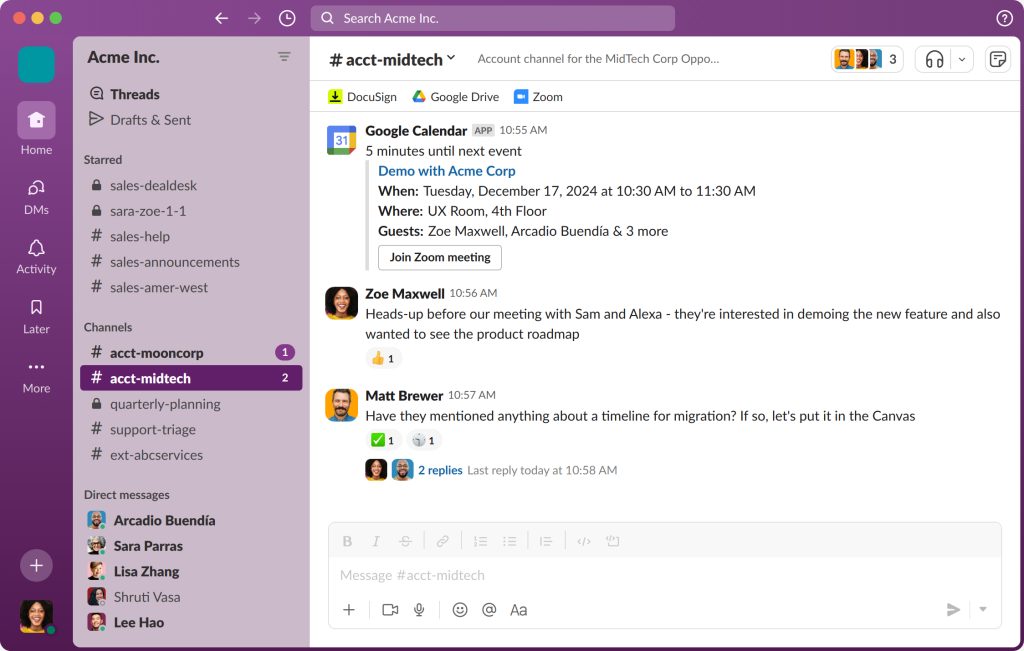
A successful remote photography team relies on strong communication. Without structured platforms, messages can easily get lost.
Recommended Tools:
- Slack for daily updates and quick questions
- Zoom or Google Meet for video meetings
- Email for formal and client-facing communication
Step-by-Step Implementation:
1. Set Up Channels:
Create Slack channels for specific purposes:
- #general-announcements for company-wide updates
- #editing-questions for quick photo-editing support
- #client-feedback for project-specific notes
2. Define Response Rules:
- Slack: reply within 2 hours
- Email: reply within 24 hours
- Urgent issues: use phone or WhatsApp
3. Create a Communication Guide:
Include message etiquette, escalation procedures, and platform guidelines to ensure clarity.
Set Expectations Early with a Workflow Guide
Clarity is critical when managing creative professionals remotely. A standardized workflow helps eliminate confusion and maintain quality.
Step-by-Step Implementation:
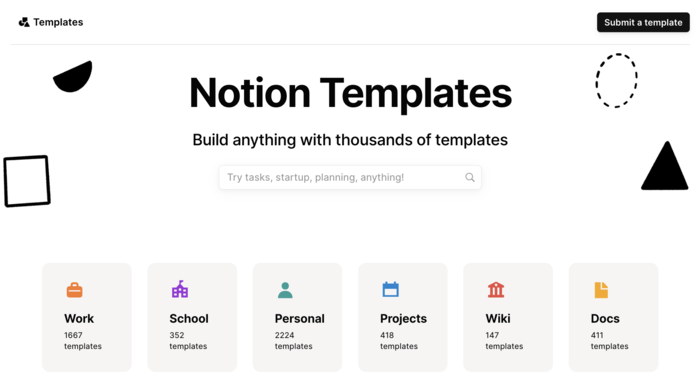
1. Document the Workflow (Google Docs or Notion):
- Step 1: Photographer uploads RAW files to Google Drive
- Step 2: Editor downloads and edits per checklist
- Step 3: Senior member reviews for quality
- Step 4: Final images uploaded for client delivery
2. Provide a Submission Checklist:
Include file naming conventions, editing standards, and deadlines.
3. Host an Onboarding Call:
Explain processes and expectations for new team members.
A clear workflow helps your remote photography team stay consistent, efficient, and accountable.
Utilize Project Management Tools
Tracking progress is easier with the right digital tools. These platforms ensure tasks are visible and deadlines are met.
Recommended Tools:
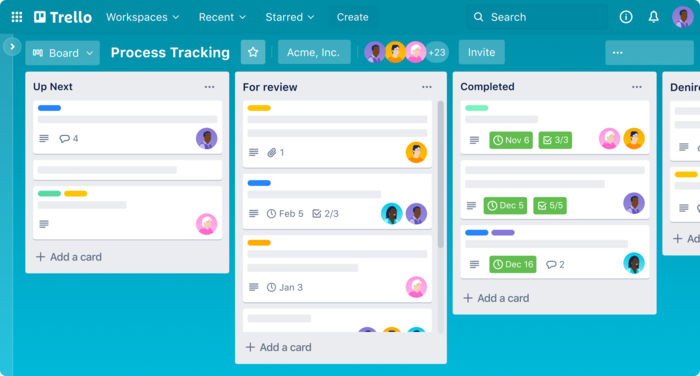
- Trello for visual tracking
- Asana for detailed project workflows
- Monday.com for customizable task management
Step-by-Step Implementation:
- Create columns such as To Shoot, Editing in Progress, Needs Review, and Final Delivery.
- Assign deadlines, responsible team members, and task checklists.
- Automate reminders 24 hours before due dates to reduce delays.
Efficient task tracking ensures smooth collaboration among remote photographers and editors.
Schedule Regular Check-Ins
Consistent communication keeps morale high and projects on track.
Step-by-Step Implementation:
1. Schedule weekly or bi-weekly Zoom meetings.
2. Create a shared meeting agenda in Google Docs with:
- Team updates
- Project issues
- Client feedback
3. Record sessions when needed and send written recaps.
Regular check-ins help remote photography teams stay aligned, connected, and motivated.
Provide Constructive Feedback with Visual Examples
Feedback is vital for improvement, especially when working remotely.
Step-by-Step Implementation:
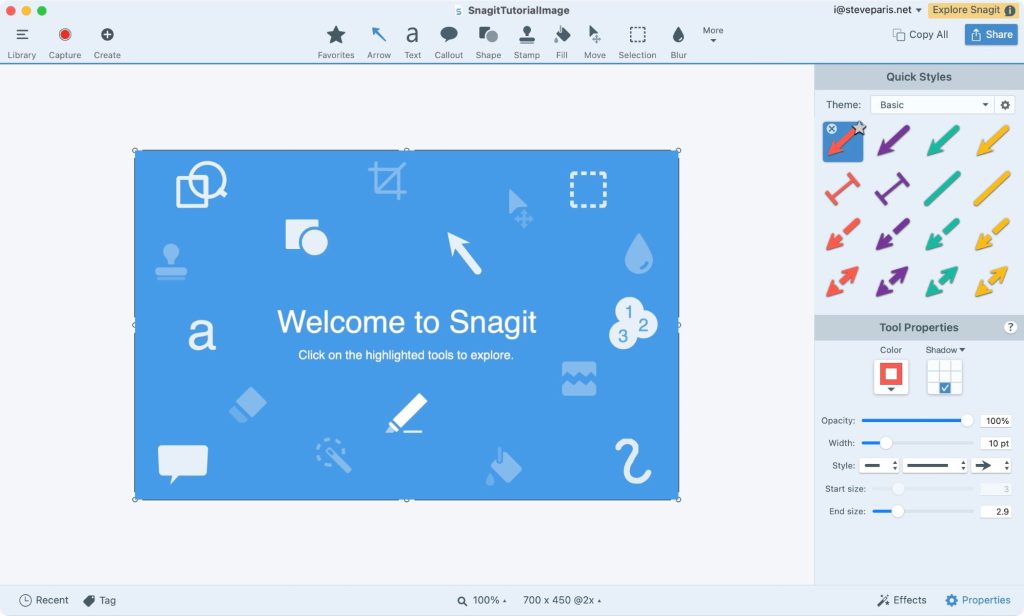
1. Use Loom or Snagit to record visual feedback on images.
2. Apply the SBI Feedback Model:
- Situation: “In Client X’s recent shoot…”
- Behavior: “The highlights appear too bright.”
- Impact: “This reduces the natural lighting balance.”
- Correction: “Lower highlights by 20% for a realistic tone.”
3. Share before-and-after visuals for better understanding.
Clear feedback helps remote editors and photographers learn faster and produce consistent quality.
Encourage Open Communication among Remote Photography Team
A transparent, feedback-friendly culture builds trust and long-term loyalty.
Step-by-Step Implementation:
- Create a monthly anonymous feedback form using Google Forms.
- Launch a “Suggestion Box” channel in Slack.
- Hold one-on-one monthly check-ins to address challenges or growth opportunities.
When team members feel heard, productivity and engagement rise.
Leverage Cloud Storage for File Sharing
Efficient file management is essential in remote real estate photography.
Step-by-Step Implementation:
1. Use Google Drive or Dropbox for structured folders:
- /Client X/Raw Photos
- /Client X/Edited Photos
- /Client X/Final Delivery
2. Assign permissions to protect files.
3. Enable auto-sync to prevent data loss.
Proper file organization ensures faster delivery and minimizes confusion.
Be Mindful of Time Zones
Working across time zones can be challenging for global teams.
Step-by-Step Implementation:
- Use World Time Buddy to plan meetings efficiently.
- Set core overlap hours, e.g., 2 PM–6 PM GMT.
- Add each team member’s time zone in their Slack bio.
This fosters smoother coordination and reduces scheduling conflicts.
Promote Remote Photography Team Bonding
Even remote teams need connection to stay creative and inspired.
Ideas to Build Engagement:
- Host virtual coffee breaks once a month.
- Create fun challenges, such as “Best Virtual Staging Edit.”
- Recognize top performers with shoutouts and digital rewards.
A motivated team produces stronger creative output, and remains loyal longer.
Stay Flexible and Continuously Improve
Technology evolves, and so should your management style.
Step-by-Step Implementation:
- Review your communication strategy quarterly.
- Gather input from team members and apply practical improvements.
- Experiment with tools like Discord or Notion for smoother collaboration.
Adaptability ensures your remote photography team stays efficient, creative, and future-ready.
Conclusion: Lead with Clarity and Connection
Managing a remote photography team effectively requires more than tools. It demands communication, structure, and trust. When photographers, editors, and managers work cohesively across borders, the results speak for themselves: faster turnarounds, higher client satisfaction, and a stronger brand reputation.
If you’re ready to streamline your real estate photography business and elevate your results, partner with Imagtor. We provide professional editing, virtual staging, and media solutions designed to support remote photography teams worldwide. Start today with a FREE TRIAL + 10% DISCOUNT – experience the Imagtor difference.

Flambient photography has become the go-to lighting technique for serious real estate photographers in 2026. It combines the natural light range of HDR with the color accuracy of flash, producing interior images that look clean, warm, and genuinely believable without the over-processed look that heavy HDR editing creates. This guide covers what flambient photography actually …

Interior real estate photo editing is where most of the work happens after a shoot. Getting exposure, color, and detail right across a full gallery is what separates listings that actually get clicks from ones that get skipped past. This guide covers the core techniques professionals use, in the order they actually matter, so every …