
Best professional photo editing software in 2026

Professional photo editing software is basically the backbone of every photographer’s post-production work. Knowing what tools others are actually using, and why they stick with them, helps you make better decisions for your own setup without going through the trial-and-error yourself.
Why your choice of photo editing software matters
It is not just about features. The software you pick shapes how fast you work, how consistent your output looks, and how well everything holds up when shoot volume starts climbing.
Plenty of photographers spend months in the wrong tool before switching. Getting this right early saves a lot of frustration later.
Adobe Lightroom Classic: the most used photo editing software
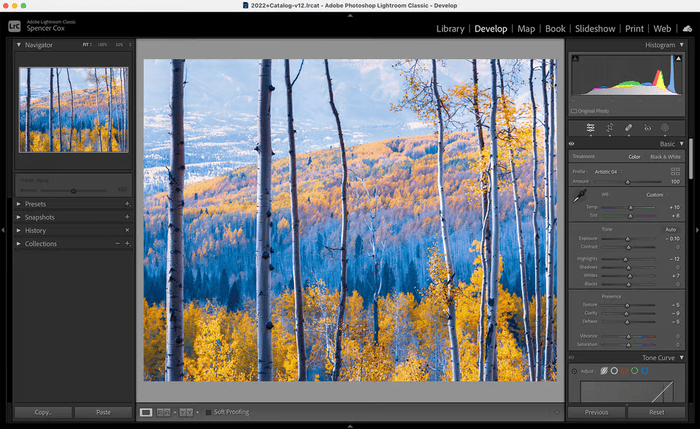
For catalog management and RAW processing, Lightroom Classic is still what most real estate and property photographers use day to day. It is the default for good reason.
What makes it work so well for high-volume shooting:
- Catalog system keeps everything organized across dozens of properties
- Batch editing and presets cut down repetitive work significantly
- Built-in HDR merge handles bracketed exposures without leaving the app
- Tight integration with Photoshop for anything that needs more detailed work
If you are shooting several properties a week and need speed and consistency across full galleries, Lightroom Classic is where most professional photo editing workflows start and end.
Adobe Photoshop: when the job needs more control
Lightroom handles volume. Photoshop handles the tricky stuff.
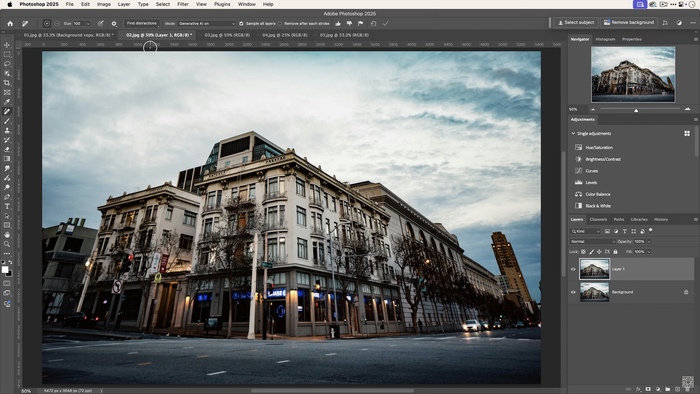
Layer-based editing, AI-powered object removal, window pull compositing, perspective fixes, sky replacement. These are the kinds of tasks that need Photoshop. And in 2026, generative AI tools inside Photoshop have gotten genuinely good at things like background expansion and realistic object removal that used to take much longer to do manually.
Most professionals use both together. Lightroom for the bulk of gallery work, Photoshop for shots that need individual attention.
Capture One: professional photo editing software for color accuracy
Capture One has a reputation for color science, and it earns it. The level of control over color grading goes noticeably deeper than Lightroom, which matters when you are shooting luxury properties where warm timber floors, natural stone, and high-end finishes all need to look exactly right.
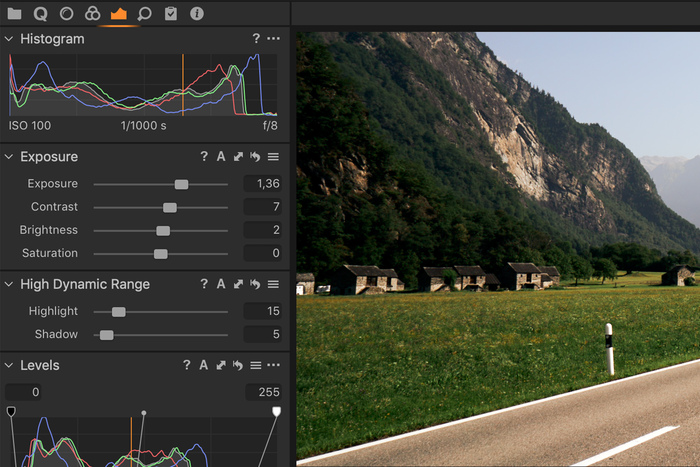
It also wins on tethering, which makes it popular with commercial studios shooting in controlled environments.
The tradeoff is real though. Steeper learning curve, higher price, and a workflow that takes more time to set up properly. For standard residential volume work, that trade often does not make sense. But for studios focused on high-end architectural or luxury property photography, Capture One is hard to beat.
Luminar Neo and AI-powered editing software alternatives
Not every photographer needs a full catalog system. For those looking to avoid Adobe subscriptions or just want faster creative results without building a complex workflow, Luminar Neo is a solid option.
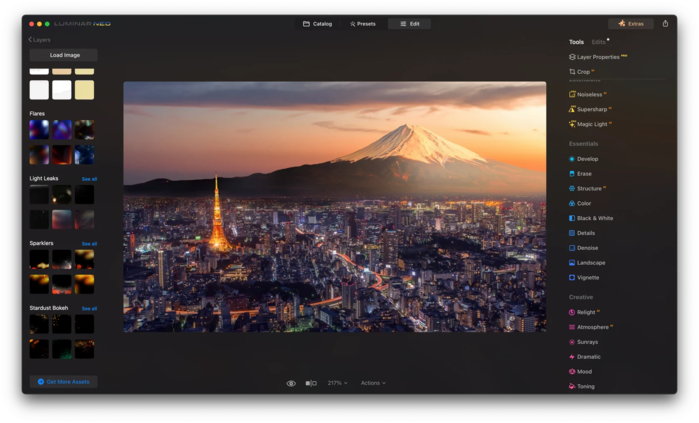
AI-powered editing has also moved fast in 2026. Platforms like Imagen and Aftershoot now handle culling, editing, and retouching in one connected workflow, and they can actually learn your personal editing style over time.
That said, AI-heavy tools work better for creative and portrait work than for high-volume real estate editing. Getting consistent results across a full property gallery, with different rooms and different lighting conditions, is still something that needs human judgment more than AI automation.
What setup most real estate photographers actually use
In practice, most professionals land on one of these:
| Setup | Best for |
|---|---|
| Lightroom Classic + Photoshop | High-volume residential, standard to luxury |
| Lightroom Classic only | High-volume standard residential |
| Capture One + Photoshop | Luxury, architectural, commercial |
| Lightroom + AI plugin | High-volume with AI-assisted culling |
| Luminar Neo | Low to mid volume, creative style |
Most real estate photographers stick with Lightroom as the foundation and bring in Photoshop for anything more complex. AI plugins are becoming a common addition on top of that, especially for culling and first-pass edits.
Good photo editing software does not guarantee quality
Here is something worth saying out loud. Every major RAW editor in 2026 is capable of producing professional-grade results. The difference between a strong gallery and a weak one rarely comes down to which software was used.
Two photographers using the same professional photo editing software can deliver completely different results. Editing decisions, style consistency, and workflow habits matter just as much as the tool. Software does not fix poor composition, inconsistent bracketing, or bad white balance. Those come from the shoot.
When outsourcing makes more sense than adding new software
New software always has a learning curve. Before it saves you time, it costs you time.
For photographers already shooting several properties a week, the real problem usually is not which professional photo editing software they are running. It is the hours spent editing after a full day on site.
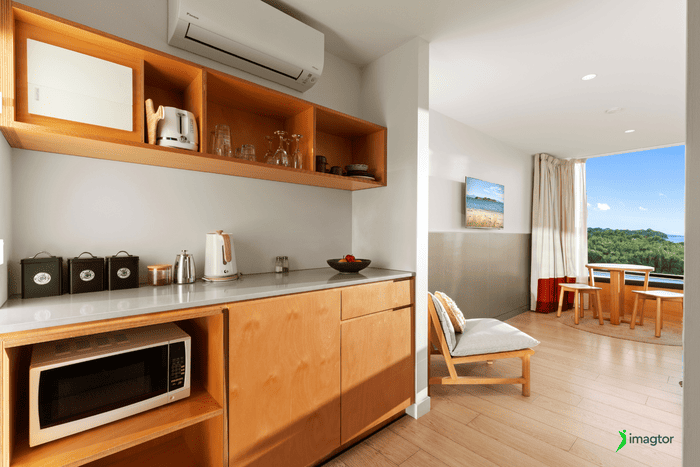
Outsourcing real estate photo editing removes that bottleneck without adding another subscription or workflow to manage. You get consistent standards across every gallery, HDR blending, perspective correction, window pulls, and object removal, all turned around fast enough for next-day delivery.
It also means you are not choosing between shooting more and editing better. You can actually do both.
At Imagtor, we work with real estate photographers and studios who want professional-grade editing without managing it in-house. Fast turnaround, consistent style, no software overhead.
Choose the right tools for your workflow
Lightroom Classic, Photoshop, and Capture One are the most trusted names in professional photo editing software for a reason. They are reliable, well-supported, and proven across thousands of workflows.
But the best professional photo editing software is really just the one that fits how you work. High-volume photographers need speed and consistency. Color-critical studios need precision. And photographers whose editing time is outgrowing their available hours probably need a different kind of solution altogether.
Knowing which category you are in is half the answer.
>> Read more: Top Free Photo Editing Software For Real Estate Photographers
Spend less time editing and more time shooting. Imagtor helps real estate photographers deliver consistent, high-quality images with professional editing and fast turnaround.
Start today with a FREE TRIAL and get a 10% BULK DISCOUNT on your first order.
Real estate video editing for Reels and Shorts follows different rules from a standard listing walkthrough. Pacing, format, and visual clarity all need to match how people actually watch on mobile. This guide covers what makes short-form property videos work on Instagram, YouTube, Tiktok and Facebook. Why Reels and Shorts work differently from listing videos …

Slow photography workflow does not always come from editing. Time gets lost before the shoot, during file organization, and at delivery too. Fixing each of those stages is what actually moves the needle. Where your photography workflow is losing time Before fixing your photography workflow, find out where the time is actually going. Most photographers …