
How AI Is Transforming Real Estate Editing for Professional Photographers

The integration of Artificial Intelligence (AI) into real estate photo editing is transforming the industry. It speeds up editing, enhances image quality, and streamlines workflows. With 97% of buyers searching online and listings with professional photos selling 32% faster, demand for top-quality visuals has never been higher.
AI-powered tools help meet this demand, but they also bring new challenges. This article explores the pros and cons of AI in real estate photo editing, along with the most powerful features photographers and editors can use.
Pros of Using AI in Real Estate Photo Editing
1. Time Efficiency
AI automates tasks like sky replacement, decluttering, and exposure blending. Work that once took hours now takes minutes, saving time for creative work.
2. Cost-Effectiveness
By cutting editing time, AI reduces costs. Small studios and freelancers can compete with larger agencies by outsourcing less and relying on it.
3. Scalability
AI helps photographers manage larger workloads. Consistent, high-quality delivery is possible even in busy seasons.
4. Consistency in Output
AI applies uniform styles across images. This improves brand consistency for real estate photographers.
5. Learning and Adaptation
Tools like ImagenAI and Aftershoot learn from your edits. Over time, they align closely with your editing style.
Cons of Using AI in Real Estate Photo Editing
1. Lack of Creative Judgment
AI misses the artistic touch of human editors. Images may look flat or generic.
2. Over-Reliance and De-Skilling
Heavy dependence on AI can reduce manual editing skills, making it harder to fix errors when they appear.
3. Ethical and Legal Concerns
Over-editing properties with AI can cross ethical or legal lines. Misrepresentation can cause disputes or compliance issues.
4. Imperfect Accuracy
It can misidentify objects or apply the wrong adjustments, especially in complex lighting conditions.
5. Software Limits and Costs
Some AI tools are expensive or lock you into their ecosystem. Others require training before they deliver consistent results.
AI-Powered Features Transforming Real Estate Photo Editing
1. Sky Replacement
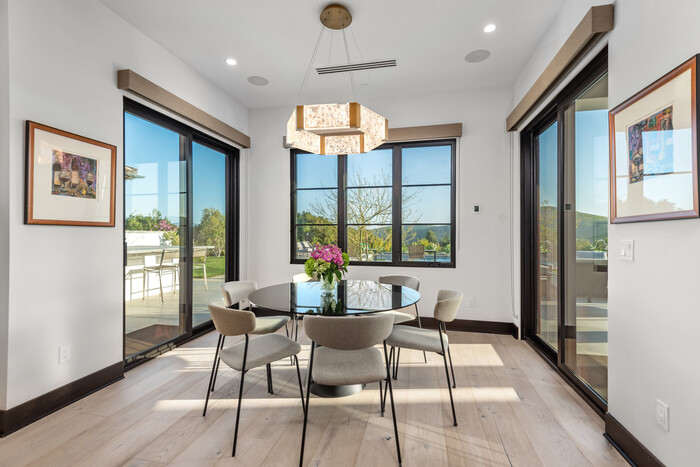
A vibrant, clear sky can significantly enhance the appeal of property images. Traditionally, replacing skies involved meticulous manual editing, consuming considerable time and effort. AI-powered sky replacement tools have revolutionized this process by automating sky detection and substitution, enabling seamless and realistic results in seconds.
Professional Tools:
- Adobe Photoshop (Sky Replacement Feature): Utilizing Adobe Sensei, Photoshop’s AI engine, this feature automatically identifies and replaces skies, adjusting scene lighting and colors to match the new sky for cohesive and natural-looking images.
- Luminar Neo: Offers advanced AI-driven sky replacement capabilities, allowing photographers to choose from a diverse sky library or upload custom skies. The tool intelligently relights the scene to harmonize with the new sky, ensuring authenticity.
Practical Guidance:
- Customization: To maintain a unique portfolio, consider capturing and using your own sky images, ensuring they align with the geographic and atmospheric conditions typical of the property location.
- Consistency: Apply consistent sky replacements across all images of a property to provide a uniform and professional presentation.
2. Object Removal and Decluttering
Unwanted objects or clutter in property photos can detract from the visual appeal and misrepresent the space. AI-powered object removal tools streamline the process of eliminating these distractions, enhancing the overall presentation of the property.
Professional Tools:
- Adobe Lightroom (Generative Remove): Introduced in beta, this AI-powered feature allows users to paint over unwanted elements, with the tool generating multiple versions of the edited area for selection.
- Luminar Neo (Erase Tool): Utilizes AI to detect and remove unwanted objects, intelligently reconstructing the background for a seamless result.
Practical Guidance:
- Precision: While AI tools are powerful, manual refinement may be necessary for complex scenes to ensure a flawless finish.
- Ethical Considerations: Maintain transparency with clients regarding the extent of edits to uphold trust and manage expectations.
3. HDR Merging and Exposure Blending
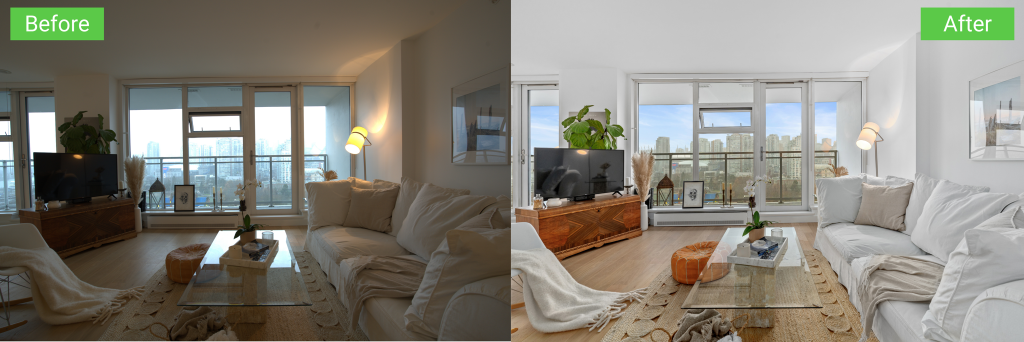
High Dynamic Range (HDR) imaging is essential in real estate photography to capture details in both highlights and shadows, especially in interiors with bright windows. AI-enhanced HDR merging tools automate the blending of bracketed exposures, producing balanced and natural-looking images.
Professional Tools:
- Photomatix Pro: A dedicated HDR software offering over 40 presets tailored for real estate photography, enabling automatic alignment and ghost removal for high-quality HDR images.
- Aurora HDR (Skylum): Provides AI-powered tone mapping and bracket merging, delivering realistic HDR images with minimal manual intervention.
Practical Guidance:
- Consistent Bracketing: Use a consistent number of exposures (e.g., -2, 0, +2 EV) and maintain stable framing, preferably with a tripod, to optimize AI merging results.
- Batch Processing: Utilize batch processing features to handle multiple sets of bracketed images efficiently, saving time and ensuring uniformity.
4. Perspective Correction and Vertical Alignment
Accurate representation of architectural lines is crucial in real estate photography. Distorted perspectives can mislead potential buyers and diminish the professionalism of the images. AI-powered tools facilitate automatic correction of perspective distortions, ensuring vertical and horizontal lines are true to life.
Professional Tools:
- DxO ViewPoint: Specializes in correcting geometric distortions, offering precise control over perspective, horizon, and volume deformation corrections.
- Adobe Lightroom (Transform Panel): Features guided upright tools that leverage AI to detect and correct perspective issues, allowing for manual adjustments to fine-tune results.
Practical Guidance:
- Pre-Shoot Preparation: Whenever possible, use tilt-shift lenses to minimize perspective distortions during capture, reducing the need for extensive post-processing corrections.
- Moderation: Apply corrections judiciously to avoid over-correction, which can introduce unnatural proportions.
5. Image Enhancement and Batch Processing
Consistent color balance, contrast, and sharpness are vital for a cohesive property presentation. AI-driven image enhancement tools analyze and adjust these parameters across multiple images, streamlining the editing workflow.
Professional Tools:
- ImagenAI: Learns from your editing style to apply personalized adjustments in batch processing, significantly reducing editing time while maintaining consistency.
- Topaz Studio 2: Offers AI-powered enhancements, including sharpening and noise reduction, compatible as a plugin with Lightroom and Photoshop for seamless integration.
Practical Guidance:
- Profile Training: Invest time in training AI tools with your editing preferences to achieve results that align with your brand’s aesthetic.
- Quality Control: While batch processing enhances efficiency, conduct a final review of all images to ensure each meets quality standards.
6. Virtual Staging
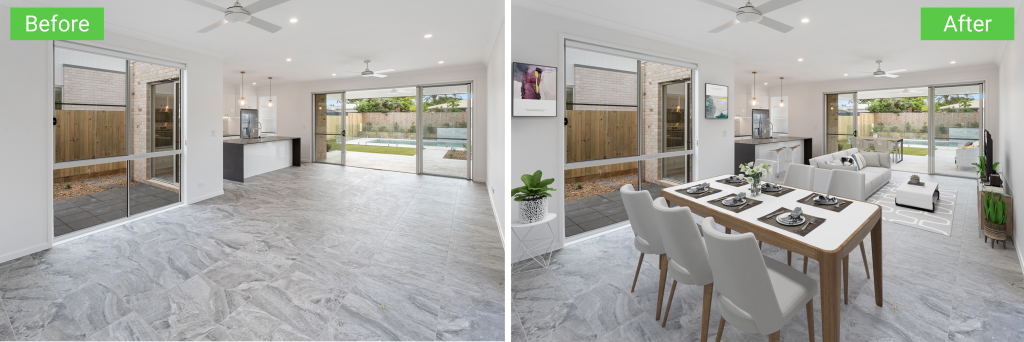
AI can now generate realistic virtual staging, furnishing empty rooms with couches, tables, decor, and lighting to help buyers visualize how a space might be used.
Professional Tools:
- ApplyDesign: Generate realistic furniture layouts for empty properties.
- Virtual Staging: Offers quick and cost-effective staging for various room types using pre-trained artificial intelligence models.
Practical Guidance:
- Target Your Audience: Use appropriate decor styles (modern, rustic, luxury) based on the property type and buyer demographics.
- Disclosure: Always disclose that the staging is virtual to maintain ethical transparency.
7. Color Correction and White Balance Adjustment
Accurate color representation is essential for showing off property finishes and materials. AI can detect color casts, poor white balance, and lighting inconsistencies, correcting them automatically.
Professional Tools:
- Fotor: Offers one-click color enhancement and white balance correction.
- Lightroom (Auto Tone & White Balance): Powered by Adobe Sensei, it adjusts tone and color temperature based on image content.
Practical Guidance:
- Shoot in RAW: Allows AI tools to make more precise adjustments without image degradation.
- Manual Review: Always check final outputs to ensure surfaces (e.g., floors, cabinets) are portrayed accurately.
8. AI-Powered Noise Reduction
Low-light real estate shots, especially dusk or twilight images, often suffer from noise. AI noise reduction tools remove grain while preserving texture and detail.
Professional Tools:
- Topaz DeNoise AI: One of the most advanced noise reduction tools using deep learning to distinguish noise from real detail.
- DXO PureRAW: Automatically enhances RAW images with AI-based denoising and optical correction.
Practical Guidance:
- Avoid Overuse: Excessive noise removal can create plastic-like surfaces.
- Use Tripods for Low-Light: Reducing ISO during capture minimizes reliance on post-processing.
9. AI-Powered Image Curation and Selection
Sorting through hundreds of property shots can be time-consuming. AI can now analyze and select the best photos based on composition, sharpness, and aesthetic value.

Professional Tools:
- Aftershoot: Automatically culls images by ranking based on eye-open detection, blur, duplicates, and composition.
- Narrative Select: AI-based photo culling tool tailored for fast decision-making.
Practical Guidance:
- Set Custom Criteria: Tailor your AI’s selection settings to match your brand’s preferences.
- Final Manual Pass: Ensure no key angle or selling feature is missed by the AI.
>>> Read more: Top New AI features in Photoshop for Real Estate Photographers
Conclusion
Artificial intelligence is changing how real estate photographers work. It offers speed, consistency, and powerful features. Yet, it also comes with risks: over-editing, ethical concerns, and reliance on automation. The smartest photographers use AI as a tool, not a replacement for skill.
Want the best of both worlds? At Imagtor, we combine advanced tools with skilled editors to deliver polished, natural, and reliable real estate photos. Free up your time, grow your business, and keep your clients impressed. Try us today with a FREE TRIAL and enjoy a 10% BULK DISCOUNT on larger projects.
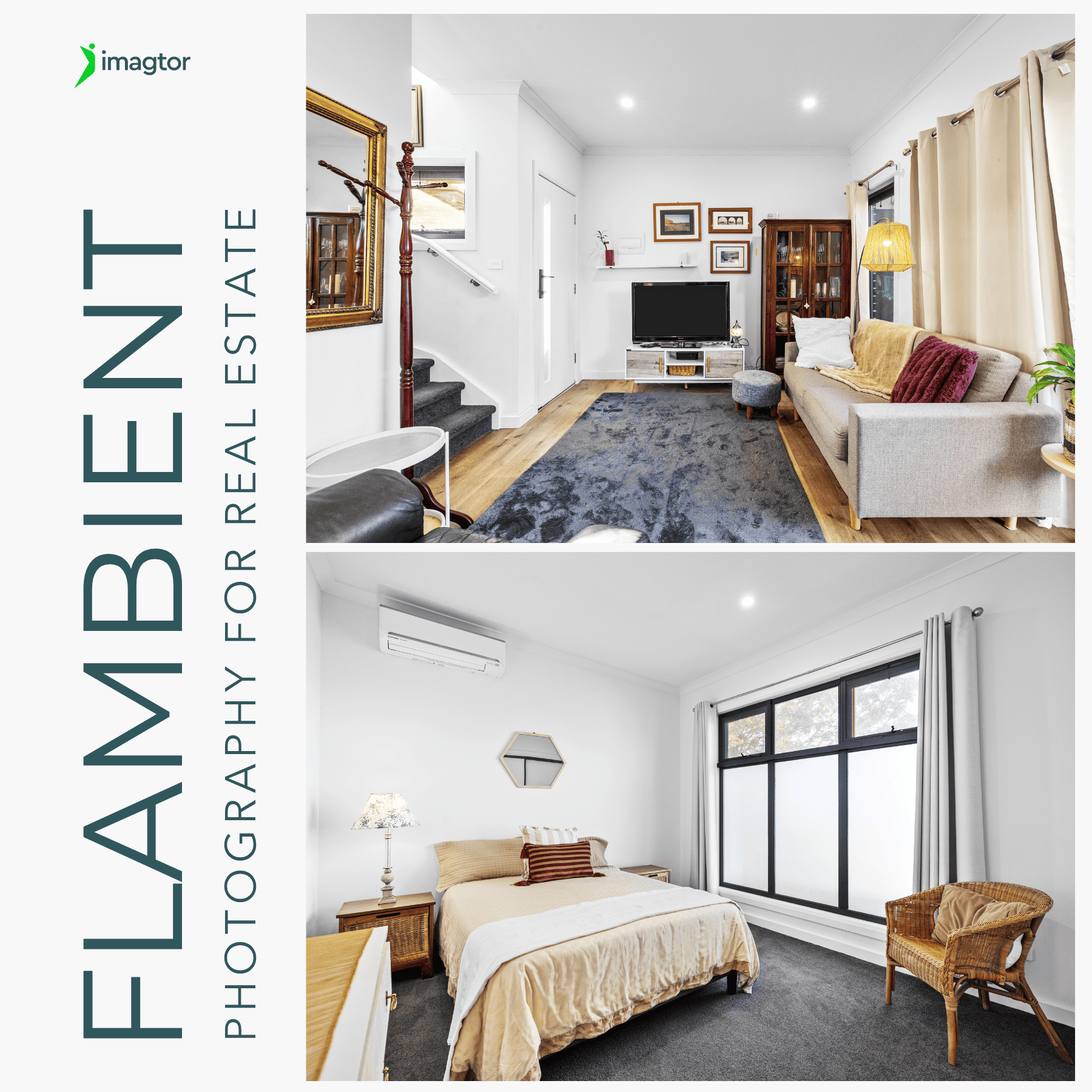
Flambient photography has become the go-to lighting technique for serious real estate photographers in 2026. It combines the natural light range of HDR with the color accuracy of flash, producing interior images that look clean, warm, and genuinely believable without the over-processed look that heavy HDR editing creates. This guide covers what flambient photography actually …

Interior real estate photo editing is where most of the work happens after a shoot. Getting exposure, color, and detail right across a full gallery is what separates listings that actually get clicks from ones that get skipped past. This guide covers the core techniques professionals use, in the order they actually matter, so every …