
Best Software for Creating Virtual Property Tour

A virtual property tour is now a key tool in real estate marketing, allowing buyers to explore properties remotely before visiting in person. With the right software, photographers and agents can create immersive experiences that showcase layout, space, and flow more effectively than static images.
What Is a Virtual Property Tour
A virtual property tour allows viewers to navigate a property digitally, often through interactive or panoramic views. Unlike standard photos or video walkthroughs, virtual tours provide a more immersive experience.
Common types include:
- 360 virtual tours that allow users to look around a space
- 3D walkthroughs that simulate moving through rooms
- Video tours with guided movement
Each format serves a different purpose. However, all aim to give buyers a better understanding of the property before visiting in person.
Why Virtual Property Tours Matter in Real Estate
A well-executed virtual property tour can significantly improve listing performance. As more buyers search online, immersive content becomes a competitive advantage.
Key benefits include:
- Higher engagement on property listings
- Better understanding of layout and space
- Reduced need for unnecessary property visits
- Increased interest from remote buyers
In addition, real estate virtual tours help agents present properties more professionally. Listings that include a virtual property tour often stand out compared to those using only photos.
>> Read more: Video Tours and Virtual Staging: The Future of Real Estate
Types of Software for Creating Virtual Property Tours
Before choosing a tool, it is important to understand the different types of virtual tour software available.
360 Panorama-Based Software
- Uses 360 images stitched together
- Allows users to look around each room
- Faster and more affordable to create
3D Scanning Software
- Creates fully navigable 3D models
- Often requires dedicated cameras
- Produces highly immersive results
Video Tour Platforms
- Focus on guided walkthrough videos
- Less interactive but easier to produce
- Suitable for quick marketing content
Web-Based Interactive Builders
- Combine images, hotspots, and navigation
- Accessible through browsers
- Flexible for different property types
Each type supports a different approach to building a virtual property tour, depending on budget and workflow.
>> Read more: The Rise of 3D Virtual Tours in 2025
Best Software Solutions for Virtual Property Tours
Matterport
Type: 3D scanning platform
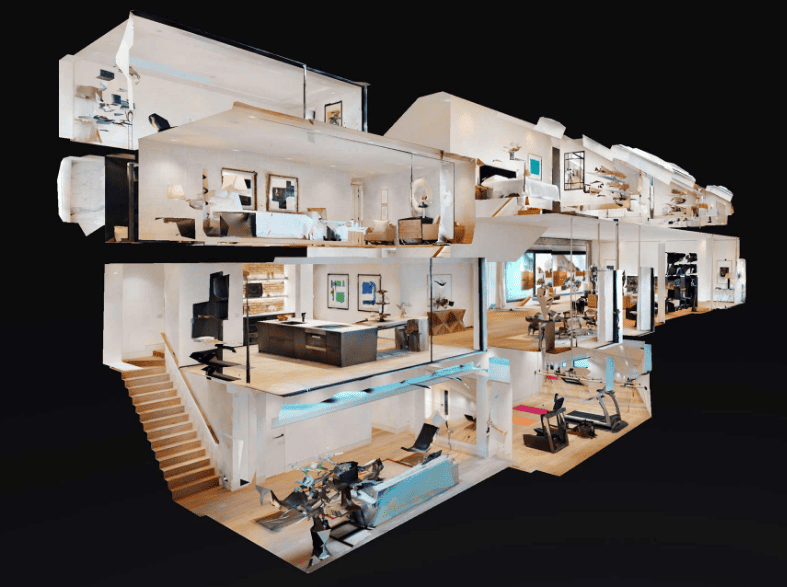
Matterport is one of the most recognized tools for creating a virtual property tour. It produces highly detailed 3D walkthroughs that allow users to move through spaces naturally.
Key features:
- Accurate 3D models
- Dollhouse view of the property
- Measurement tools
Pros:
- High-quality immersive experience
- Strong brand recognition in real estate
Cons:
- Requires dedicated camera equipment
- Higher cost compared to other tools
Best for: High-end listings and professional real estate media teams.
Kuula
Type: 360 virtual tour software
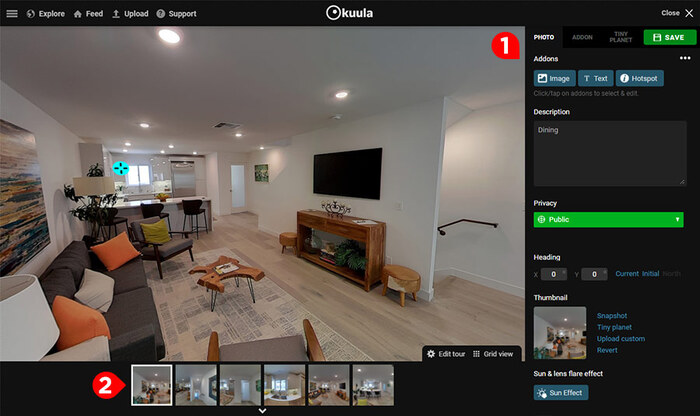
Kuula is a browser-based platform that allows photographers to create virtual tours using 360 images.
Key features:
- Easy image upload
- Custom hotspots and navigation
- Web-based editing
Pros:
- Simple interface
- Affordable pricing
- Fast setup
Cons:
- Limited advanced 3D features
Best for: Photographers looking for a quick and flexible virtual property tour solution.
CloudPano
Type: 360 tour builder
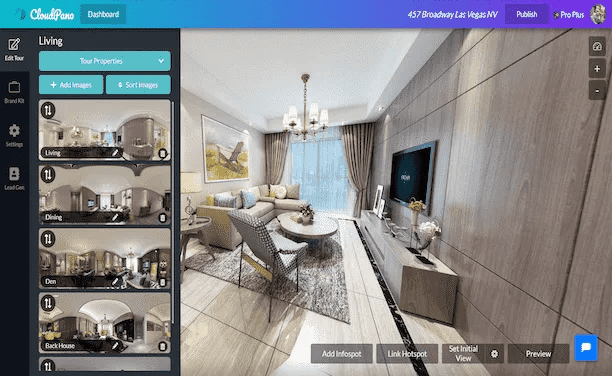
CloudPano focuses on ease of use and fast tour creation.
Key features:
- Drag-and-drop interface
- White-label branding
- Cloud hosting
Pros:
- Beginner-friendly
- Affordable pricing tiers
Cons:
- Less advanced compared to 3D platforms
Best for: Agents and photographers who need quick turnaround for real estate virtual tours.
Zillow 3D Home
Type: Integrated real estate platform
Zillow 3D Home is a free tool designed for property listings on Zillow.
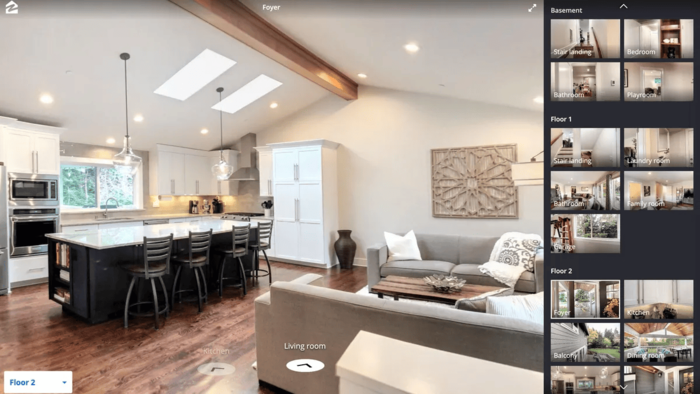
Key features:
- Mobile app-based capture
- Direct integration with listings
- Easy sharing
Pros:
- Free to use
- Simple workflow
Cons:
- Limited customization
- Restricted to Zillow ecosystem
Best for: Agents who primarily market properties on Zillow.
Made Snappy 360
Type: 360 virtual tour platform
Made Snappy 360 is designed for creating fast and interactive virtual property tour experiences using 360 images. It focuses on simplicity while still offering useful features for real estate presentations.
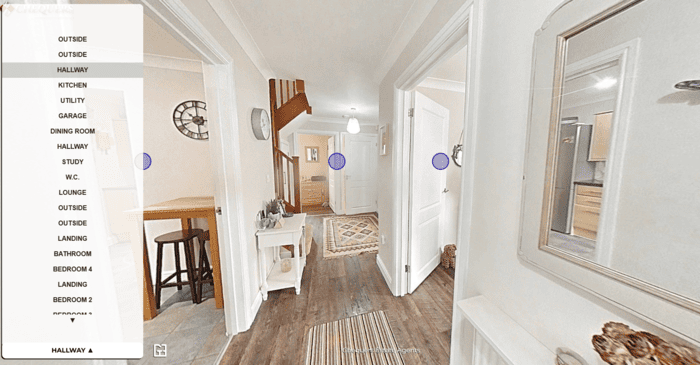
Key features:
- Easy tour creation workflow
- Custom branding options
- Interactive navigation between scenes
Pros:
- Simple and user-friendly interface
- Quick setup for property tours
- Suitable for photographers and agents
Cons:
- Fewer advanced features compared to 3D scanning platforms
Best for: Photographers and agents who need a fast and efficient way to create a virtual property tour.
Comparison of Virtual Property Tour Software
| Software | Type | Starting Price | Best For | Strength | Limitation |
|---|---|---|---|---|---|
| Matterport | 3D scanning | Higher tier | High-end listings | Fully immersive 3D experience | Expensive equipment required |
| Kuula | 360 tours | Low | Photographers | Easy and flexible | Limited 3D capability |
| CloudPano | 360 tours | Low | Quick delivery | Fast setup | Fewer advanced features |
| Zillow 3D Home | Mobile-based | Free | Zillow listings | Easy and accessible | Limited customization |
| Made Snappy 360 | 360 tours | Mid | Fast interactive tours | Simple and efficient | Less advanced than 3D platforms |
How to Choose the Right Virtual Property Tour Software
Selecting the right software depends on your workflow and business needs.
Consider the following factors:
- Budget: Free tools vs subscription platforms
- Ease of use: Learning curve and setup time
- Output quality: Image resolution and immersion level
- Equipment requirements: Smartphone vs dedicated camera
- Integration: Compatibility with listing platforms
For many professionals, combining ease of use with reliable output is the best approach when building a virtual property tour.
Common Mistakes When Creating Virtual Property Tours
Even with good software, mistakes can reduce the effectiveness of a virtual property tour.
Common issues include:
- Poor image quality or low resolution
- Inconsistent lighting between rooms
- Overcomplicated navigation
- Slow loading times
- Lack of mobile optimization
Avoiding these mistakes ensures a smoother and more professional user experience.
Improving Virtual Property Tours with Professional Editing
The quality of a virtual property tour depends heavily on the images used. Even the best software cannot compensate for poorly edited photos.
Professional real estate photo editing helps:
- Balance exposure across rooms
- Correct color inconsistencies
- Enhance clarity and detail
- Maintain visual consistency throughout the tour
Clean and consistent images improve the overall experience and make the virtual tour more effective.
>> Read more: The Ultimate Guide to Virtual Tours For Photographers
Building a Scalable Workflow for Virtual Property Tours
As demand increases, photographers need efficient workflows to handle multiple projects.
A scalable workflow includes:
- Consistent shooting process
- Reliable virtual tour software
- Professional editing support
- Organized file management
Outsourcing editing can help reduce turnaround time and maintain consistent quality across listings.
Elevating Virtual Property Tours with Professional Support
A successful virtual property tour combines the right software with high-quality images and efficient workflows. While software tools handle navigation and interaction, image quality determines how professional the final result appears.
Imagtor specializes in real estate photo enhancement, helping photographers prepare high-quality images for virtual tours. From exposure correction to color consistency, professional editing ensures every scene looks clean and balanced.
Strong visuals are the foundation of every virtual property tour. Even the best software performs better with professionally edited images.
Imagtor supports real estate photographers with reliable photo enhancement, helping improve lighting, color, and overall image quality before uploading to virtual tour platforms. Start today with FREE TRIAL and 10% DISCOUNT and elevate your virtual property tour workflow.
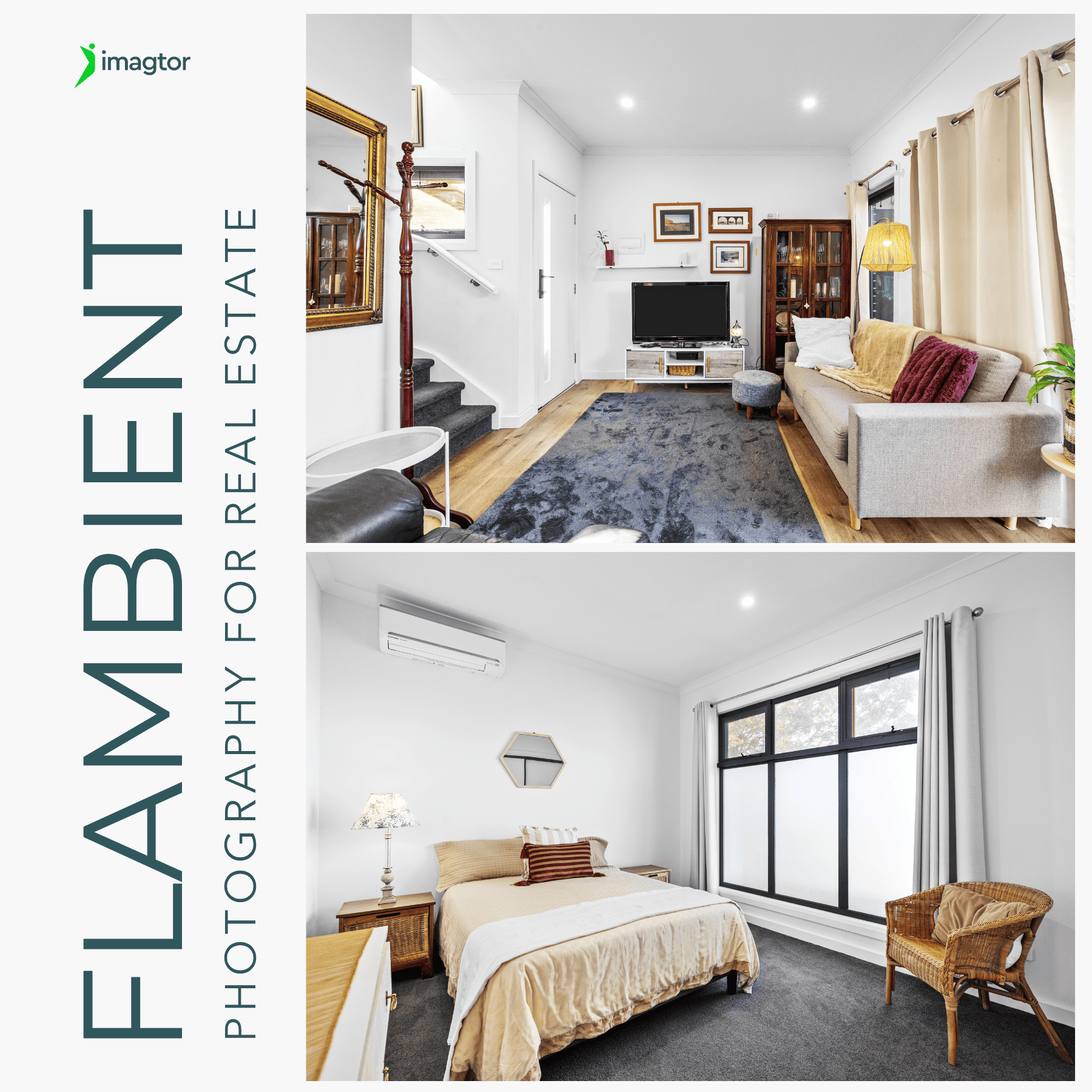
Flambient photography has become the go-to lighting technique for serious real estate photographers in 2026. It combines the natural light range of HDR with the color accuracy of flash, producing interior images that look clean, warm, and genuinely believable without the over-processed look that heavy HDR editing creates. This guide covers what flambient photography actually …

Interior real estate photo editing is where most of the work happens after a shoot. Getting exposure, color, and detail right across a full gallery is what separates listings that actually get clicks from ones that get skipped past. This guide covers the core techniques professionals use, in the order they actually matter, so every …